TIME. MILEAGE. INVOICING.

The essential multitasking app for contract workers. Track hours, log miles, and send invoices all from one place.

Less software

Everything you need.
Nothing you don't.

No complicated features, integrations, and learning curve built for companies you don't work for. Cloctopus is built for you.

27
Things to keep track of
0s
To send an invoice
14
Integrations required

Other apps

  • 14 integrations
  • Team permissions
  • Project hierarchies
  • Complex onboarding
  • Features you'll never use

Cloctopus

  • Track your time
  • Track your miles
  • Send invoices
  • Manage your clients
  • Get back to work
No fluff

You don't need more software. You need less friction.

Cloctopus is the simple work-tracking app for independent contractors. Track your time. Track your miles. Send your invoices. No complicated features. No unnecessary integrations. No corporate software designed for someone else. Just the tools you need to keep working and getting paid.

Core tools

Three jobs. Done right.

The three things that actually decide whether you get paid on time, with nothing else competing for your attention. Hover or tap one to see it in action.

Also included

A few more tools worth mentioning.

Time, mileage, and invoicing are the main event — these come along for free, not as an upsell.

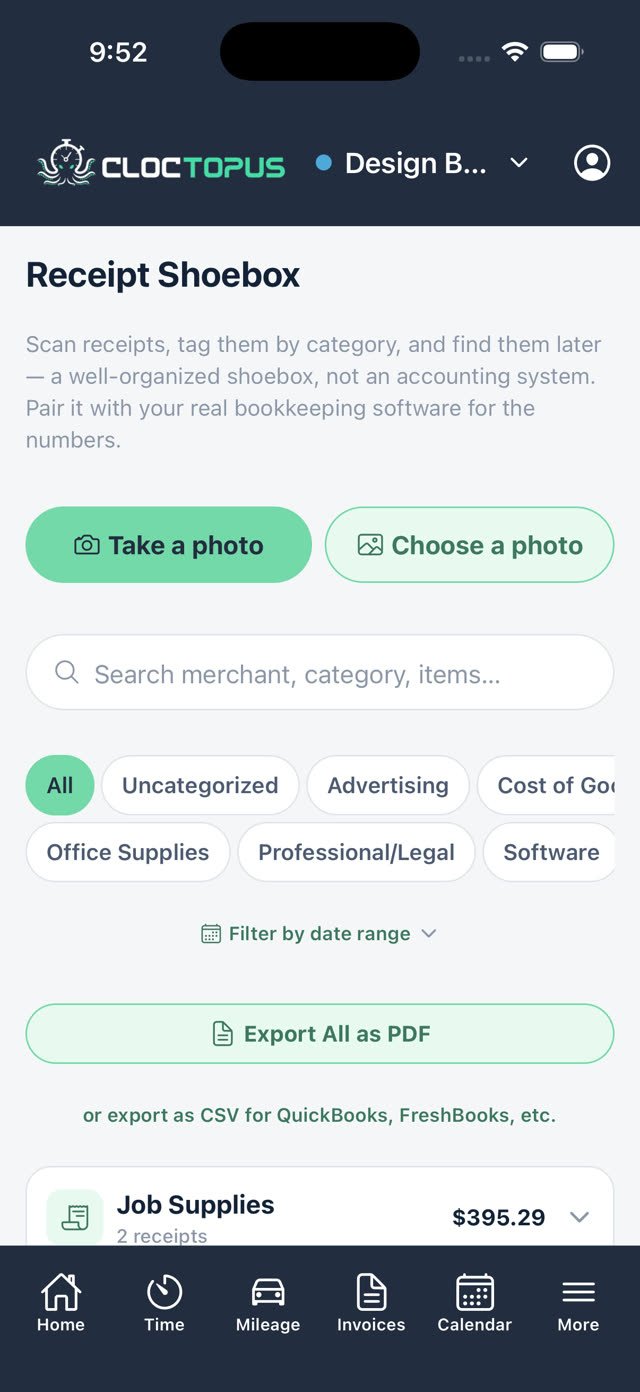
Receipt Shoebox

Snap a photo and Cloctopus reads the merchant, date, and total for you. Tag it, attach it to an invoice whenever you're ready, or export a full expense report by category.

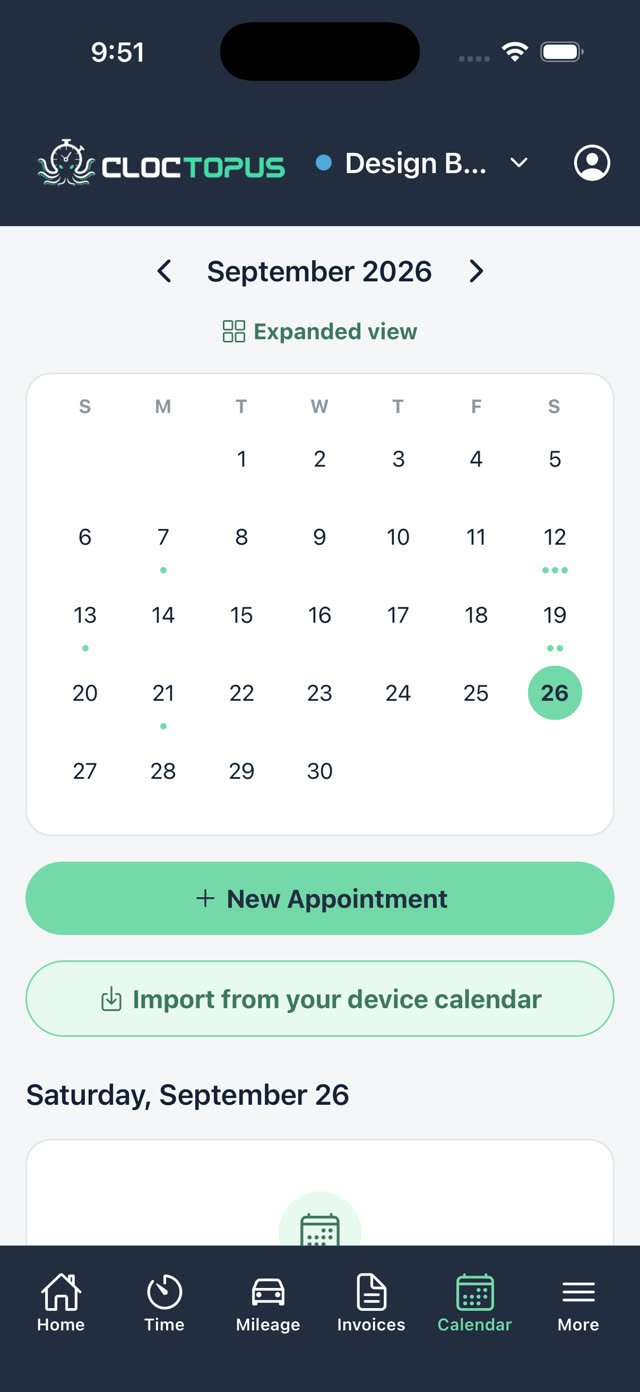
Calendar & Appointments

Set appointments with reminders, import your device calendar, and mark a meeting as billable so it flows straight into an invoice — only when you say so.

Learning Center

250+ helpful tips on running a contracting business, plus 7 built-in tools for rates, taxes, and deductions. No upsell. See the survival guide.

The cherry on top

The self-employed
survival guide.

Nobody hands you a manual when you go independent. Taxes, write-offs, 1099s, getting paid: Cloctopus comes with bite-sized tips and built-in calculators, right next to the tools you already use. Included, not an upsell.

250+Helpful tips
7Built-in tools
0Extra cost to use them
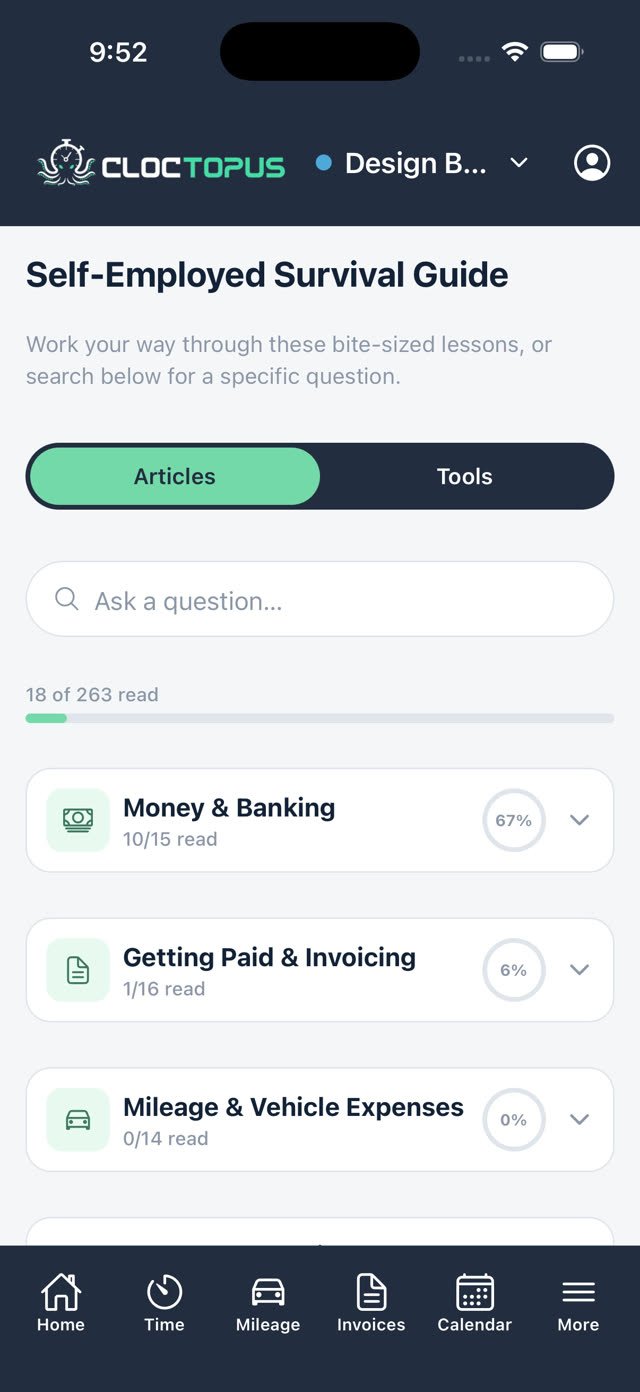
Read

Answers, not homework

Bite-sized tips you can read between jobs. Search any question, or browse by topic and check off what you have read.

Do self-employed people have to pay taxes?
Quick answerYes. Self-employed individuals must pay income tax and self-employment tax (Social Security/Medicare).
How much should I set aside for federal taxes?
Quick answerSet aside roughly 15%-20% of net profits for federal income and self-employment taxes combined.
Taxes — The BasicsGetting Paid & InvoicingMileage & Vehicle ExpensesExpenses, Receipts & Write-Offs1099s, W-9s & Client Tax FormsSole Proprietor vs. LLCQuarterly Tax Calendar & Deadlines“I Got a Letter From the IRS — Now What?”and a lot more
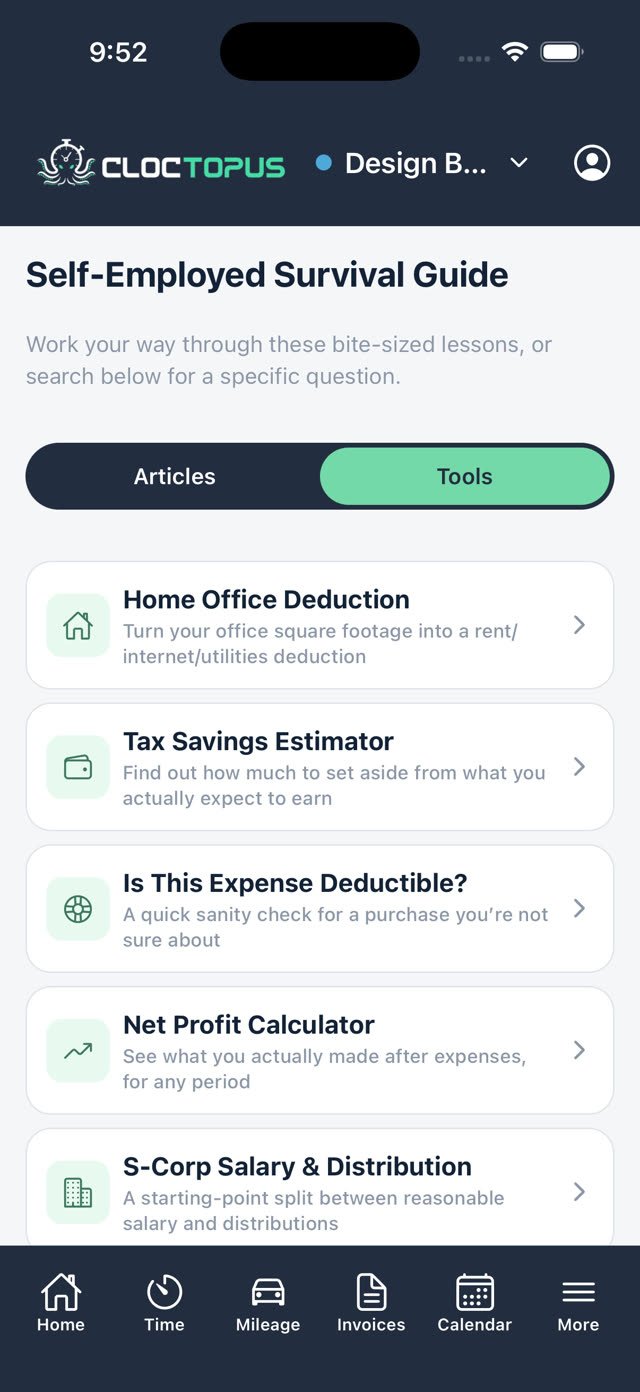
Calculate

Tools that do the math

Seven built-in calculators and helpers for the money questions every contractor has. Save your results and share them as a PDF.

  • Home Office DeductionTurn your office square footage into a rent, internet, and utilities deduction.
  • Tax Savings EstimatorFind out how much to set aside from what you actually expect to earn.
  • Is This Expense Deductible?A quick sanity check for a purchase you are not sure about.
  • Net Profit CalculatorSee what you actually made after expenses, for any period.
  • S-Corp Salary & DistributionA starting-point split between reasonable salary and distributions.
  • Hourly Rate CalculatorWork out your rate, your income, or how many days you need to work.
  • Income Goal PlannerAdd your own expenses and income sources to see what you need to earn.
Open the guide in Cloctopus →

The guide and tools are educational and do not replace advice from a tax professional. Check your numbers with an accountant or tax software.

Who uses it

Built for the people who do the work.

Cloctopus is for independent contractors across every trade — anyone who tracks time, logs miles, and sends invoices on their own.

FreelancersDesignersPlumbersElectricians CarpentersHVAC techsPaintersLandscapers HandymenRoofersPhotographersConsultants TutorsCleanersMoversGeneral contractors
Built in

Features that earn their place

Reports that make sense

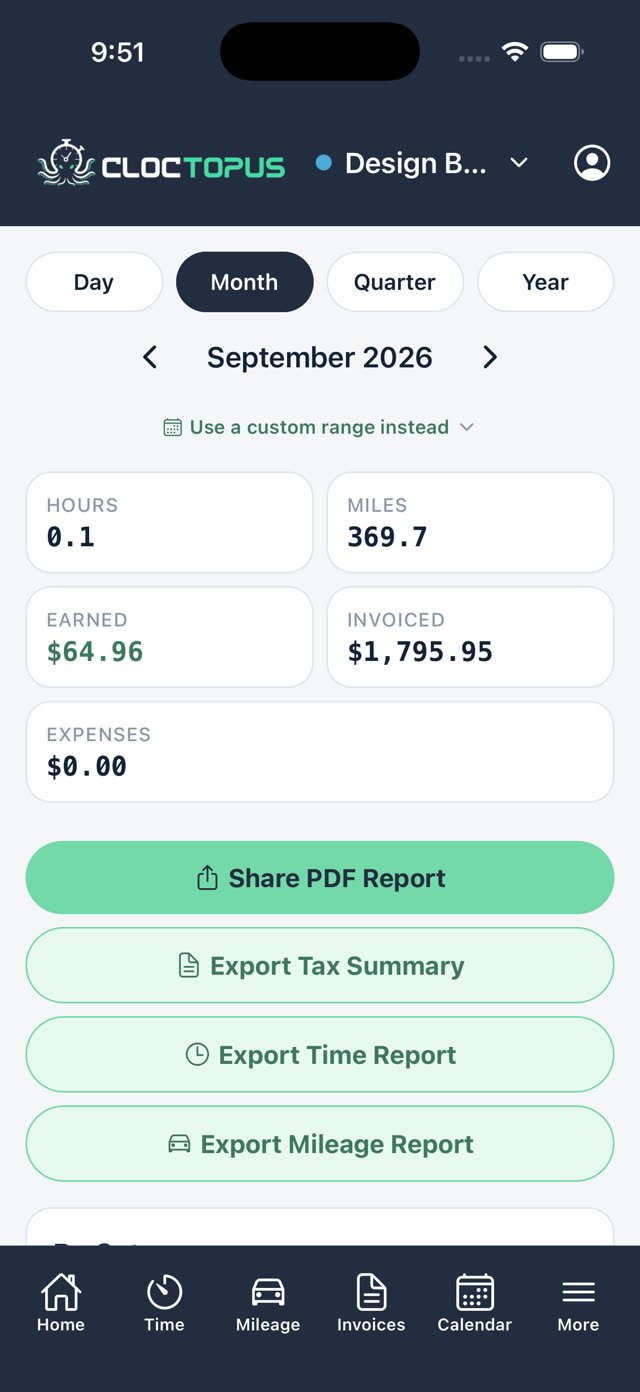
Easy to read automatic reports and visual graphs show you how and where you're spending your time and where you're earning the most.

Desktop and mobile, always in sync

Same simple app. Wherever you work. Desktop when you're at your desk. Mobile when you're on the job. All connected, all the time.

Job task categories

Easily specify job task categories for each client so you can track the type of work you're doing.

Payment methods clients already use

Venmo, Cash App, Stripe, Square, or PayPal. You can specify your client's preferred payment method before sending their invoice.

Multiple businesses

Maybe you've got 6 different side hustles going on at once. No problem! Track them all individually.

Leave anytime — or pause

Unsubscribe or pause your account any time. It's a big red button in the settings tab. No riddles, no tiny links in your spam folder.

“I used to track my hours on a notepad and do invoices in Word. Now I clock in, log the drive, and send the invoice before I leave the job site.”
Marcus T.Independent plumber · Cloctopus user
Pricing

Simple pricing. Like the app.

Track time for free. Always. Upgrade to Premium to track mileage and send invoices for $6/month, or $60/year if you commit annually.

Premium
$6/mo
Time tracking stays free forever
  • Time tracking
  • Mileage tracking
  • Invoicing
  • Client management
  • Desktop + mobile
  • No per-seat pricing
  • No complicated plans
Try now →

Simple

Three jobs. One app.

Fast

Invoice in under a minute.

Focused

Built for solo contractors.

Affordable

$6/month, or $60/year — you aren't paying for a bunch of stuff you'll never use.

Cancel anytime. No maze to find it.

A real button in the app — not a hidden menu, not a phone call, not a "wait, before you go…" screen. Tap it, and it's done. That's the whole point.

Questions

Straight answers.

Yes. Payments are processed directly by Stripe — Cloctopus never sees or stores your card details.

Anytime, no riddles to solve. Pause or cancel is a real button right in the app — not a hidden link buried in a support email, and nobody tries to talk you out of it.

No pushy marketing emails. You'll hear from us when it's about your account — nothing else, and no guilt trip if you decide to cancel.

Always. Export your time, mileage, and invoices whenever you want, in a format you can actually use.

Fully synced, both ways. Log a trip on your phone and see it on your laptop a second later.

Track each one separately from a single account — its own clients, rates, and invoice numbering.

Clock in on your
next job →

Free to start on mobile and desktop. Your hours and miles are waiting to become an invoice.